Console & Navigation
The console is a fixed sidebar plus a single content column. Six destinations, no nested module dashboards, and one dark theme throughout.
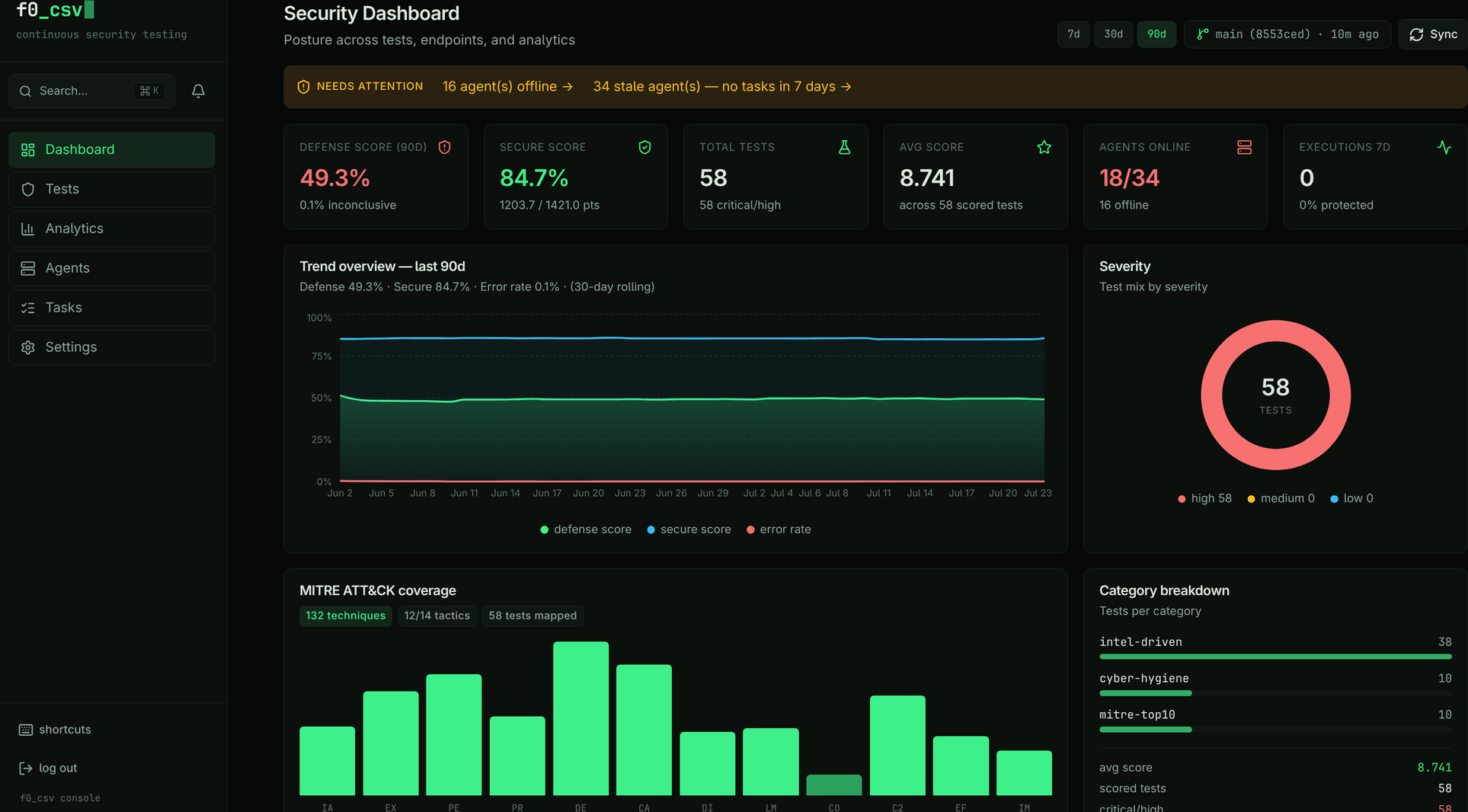
The sidebar
From the top:
| Block | Contents |
|---|---|
| Brand | The console wordmark and tagline |
| Search | Global search trigger with a ⌘K hint, and the notification bell |
| Navigation | Dashboard, Tests, Analytics, Agents, Tasks, Settings |
| Footer | Shortcuts dialog, log out, and the console caption |
The active destination is marked with an accent-tinted background and an accent left border. Two badges can appear on nav items:
- A lock icon on Analytics when Elasticsearch has not been configured yet. The link still works — the route explains what to configure.
- A count bubble on Agents when one or more agents are running an outdated binary.
Below the lg breakpoint the sidebar collapses into a drawer opened from the
hamburger button.
Destinations
| # | Destination | Route | What it answers |
|---|---|---|---|
| 1 | Dashboard | /dashboard | "What needs my attention right now?" |
| 2 | Tests | /tests | "What can I run, and against what?" |
| 3 | Analytics | /analytics | "What did my defenses actually block?" |
| 4 | Agents | /agents | "Is my fleet healthy and current?" |
| 5 | Tasks | /tasks | "What ran, what failed, what's queued?" |
| 6 | Settings | /settings | "How is this instance wired up?" |
Pre-2.1 paths redirect automatically: /browser → /tests,
/browser/test/:uuid → /tests/:uuid, /endpoints/dashboard → /dashboard,
/endpoints/agents → /agents, /endpoints/tasks → /tasks,
/favorites and /recent → /tests?view=…, and /analytics/setup →
/settings. Bookmarks and links in older runbooks keep resolving.
Keyboard shortcuts
| Key | Action |
|---|---|
1 – 6 | Jump to Dashboard, Tests, Analytics, Agents, Tasks, Settings |
/ | Focus the current page's search or filter field |
⌘K / Ctrl+K | Open global search |
? | Open the shortcuts reference |
Esc | Close the open dialog or panel |
Shortcuts are suppressed while you are typing in an input, textarea, select, or
contenteditable field, and while a modal dialog has focus — so 1 in a search
box types a 1.
Global search
⌘K opens search from anywhere. It matches tests by name, UUID, MITRE
technique, and description, and jumps straight to the test detail page on
selection.
Theme
The console ships one theme: the f0 dark palette. There is no theme selector, and no light mode.
| Role | Colour |
|---|---|
| Page ground | #060906 |
| Surface (cards, sidebar) | #0b100c |
| Raised (inputs, hover, code) | #101713 |
| Border | #1c261f |
| Body text | #dce8de |
| Secondary text | #8fa598 |
| Labels and metadata | #5f7268 |
| Accent — actions, protected | #3ef08a |
| Danger — failures, unprotected | #f87171 |
| Warning — stale, degraded | #fbbf24 |
| Info — Secure Score | #38bdf8 |
Prose is set in Inter; anything machine-shaped — hostnames, versions, exit codes, UUIDs, section labels — is set in JetBrains Mono. Both are self-hosted variable fonts, so the console renders identically offline and on air-gapped installs.
The wordmark is configurable per deployment through VITE_BRAND_WORDMARK (and
VITE_BRAND_TAGLINE); it renders two-tone, splitting at the first underscore.
The Default, Neobrutalism, and Hacker Terminal themes were retired in 2.1 along with the theme selector. Any stored theme preference is ignored — every user now sees the same console.
Related
- Security Dashboard — what each dashboard card means
- UI Components — design tokens and the chart-colour guard